English · Português
Collaboration: with a friend, at the same time
Two or more people work in the same workspace at the same time. Everyone sees the agent's stream live, sends messages, approves tools and uses the same terminal. The kabuld of the machine where the workspace runs coordinates everything (see Cloud and mobile).
Invite someone
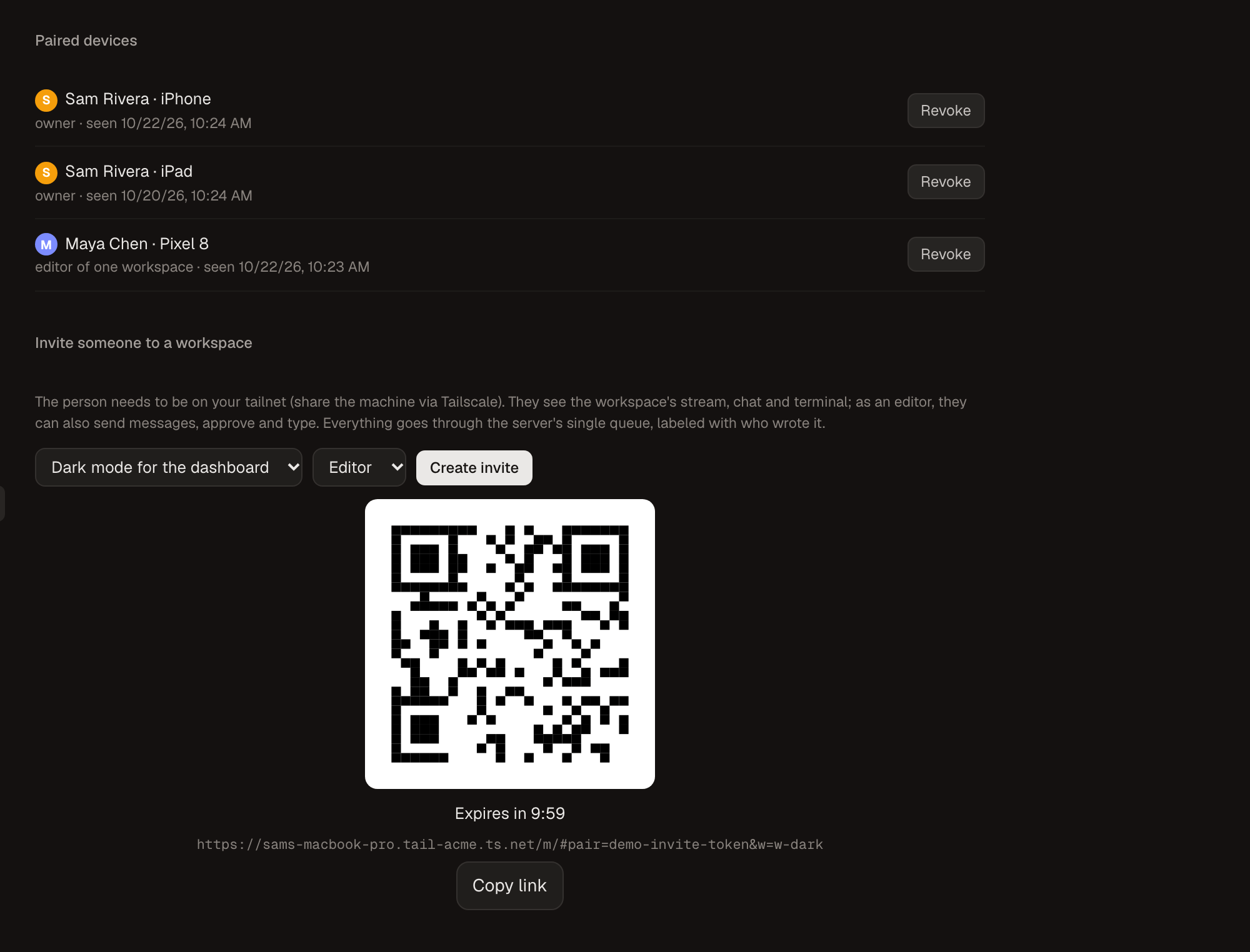
- Share the machine with the person on Tailscale:
kabuldis only reachable inside your tailnet. - Open the invite:
- on the desktop: Settings › Phone & remote › Invite someone to a workspace;
- on the phone: the Invite button in the workspace row.
- Pick the role and generate the link or QR code:
- Editor: sees the whole workspace, sends messages, approves, types in the terminal and opens chats.
- Observer: follows along. Can't send messages, approve or type.
- The person opens the link, types their name and joins. The invite works once and expires in 30 minutes; after that their device has its own key, bound to that workspace.
- To remove access: Paired devices › Revoke. Their connection drops immediately.
An editor can run commands as you
Typing in the terminal and approving the agent's tools runs commands with your user on your computer. The invite limits what the person can see and reach through Kabul, not what a command can do. Only invite as editor someone you would let use your computer; use observer for everyone else.
What everyone sees
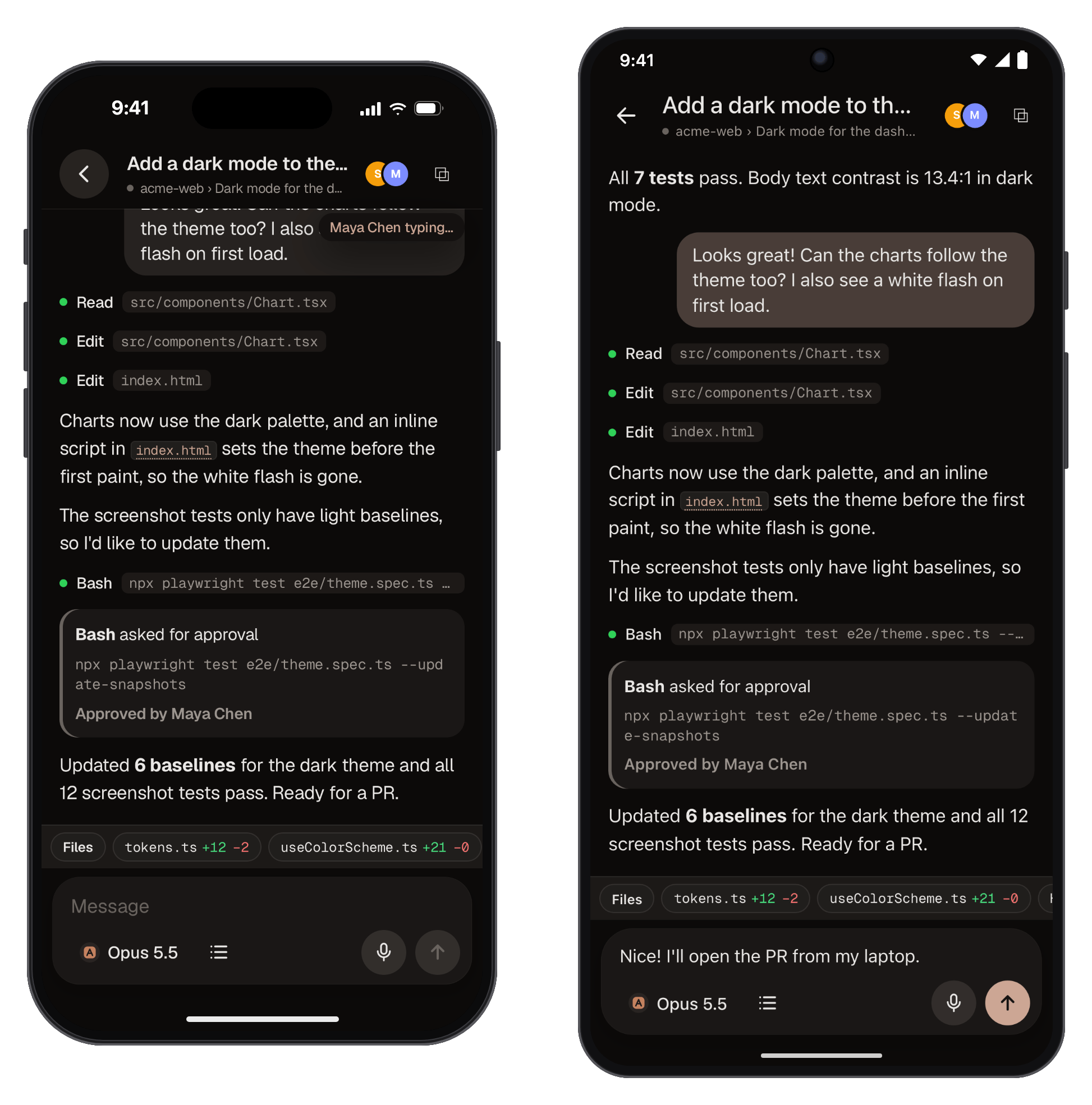
- Presence: avatars of who is in the workspace (highlighted for who is in the same chat) and "Name is typing…" while someone writes.
- Authorship: every message shows who wrote it and from which device. Authorship is part of the transcript, so it also reaches the next agent when someone switches the model.
- Shared terminal: each terminal session has one stream and everyone sees the same screen. Editors type in it, and their typing shows up for everyone.
A guest only sees that workspace: not your other repositories, other sessions or your device list.
Who goes first: one queue on the server
- Messages: with the agent idle, a message goes straight through. While the agent works (or waits for an approval), it goes into a server-side queue with the sender's name. At the end of each turn the next one goes, in order of arrival. Everyone sees the same queue; editors can remove items.
- Approvals: the request shows up for every editor and the first decision wins. The others see "Approved by Bia" (or "Denied by…"); a second attempt gets "already decided".
- Switching model or account: ends the current agent and opens a new segment; the next message carries the handoff with the latest messages and their authors, plus the branch diff.
Current limits
- Guests must be on your tailnet. Kabul Cloud (on the roadmap) will allow inviting without Tailscale.
- With
kabuldon, chats opened on the desktop also appear on the phone and for guests, and messages sent from there join the same queue. The desktop chat doesn't show yet the messages that arrived from other devices (with their author); it shows the agent's answer. Chats opened before turningkabuldon are not mirrored. - Avatars show an initial and a color, without photos.
Engineering details (in Portuguese): Collaboration.