English · Português
Concepts
Project (repository). A git repository you added. Kabul never changes the main checkout; it creates worktrees next to it.
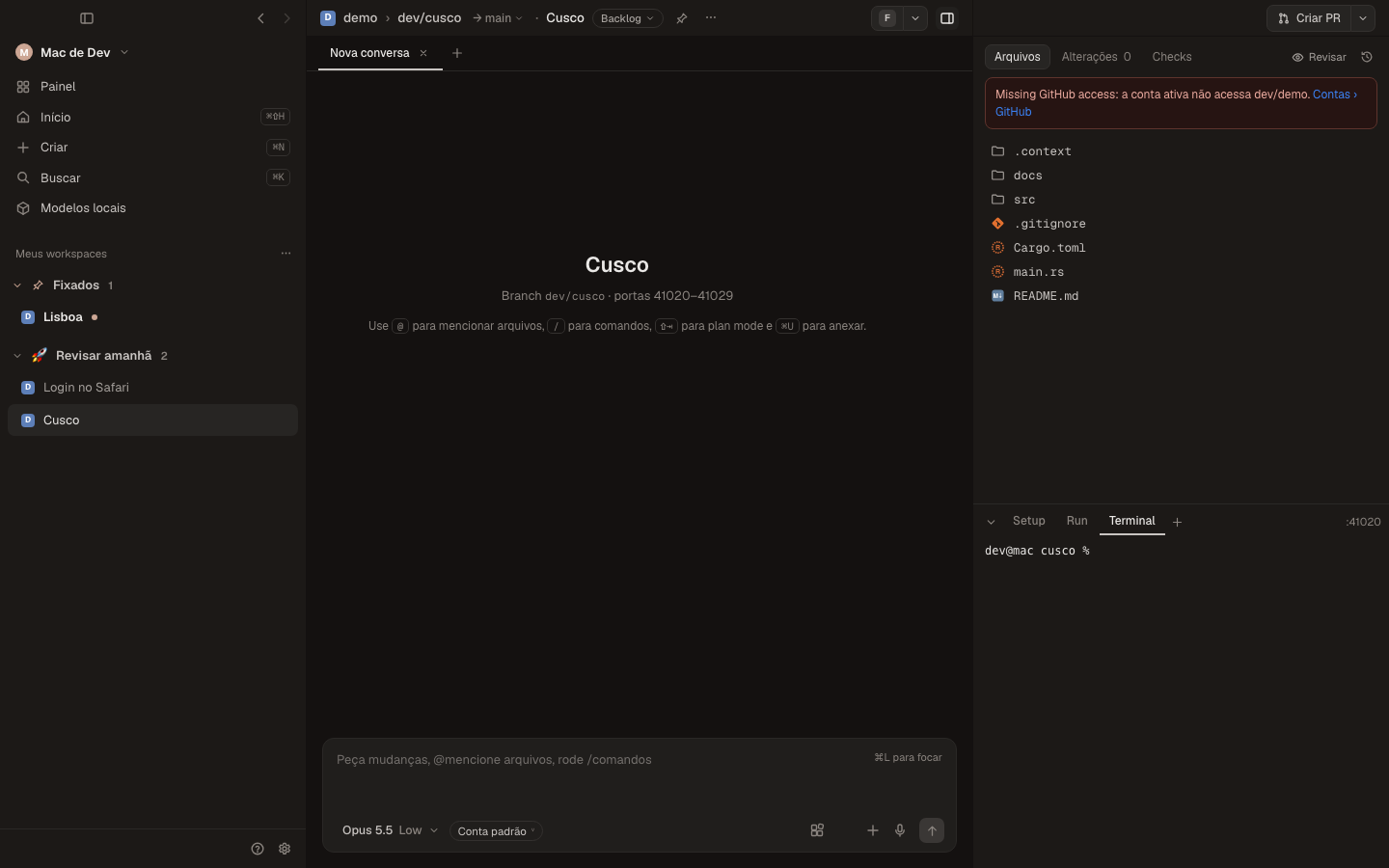
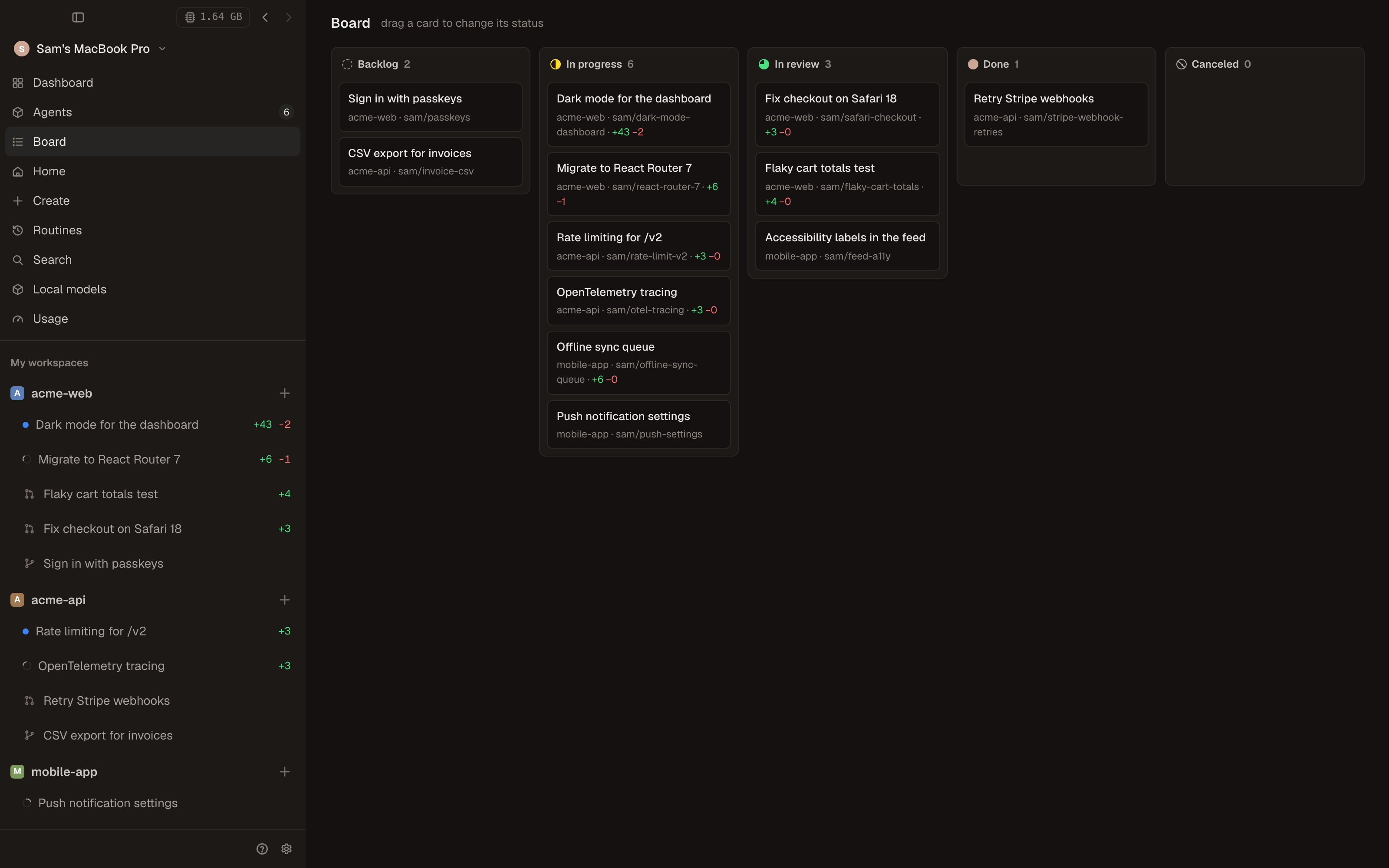
Workspace. One task. A git worktree in ~/kabul/workspaces/<project>/<city> on its own branch, with ten reserved ports (KABUL_PORT … KABUL_PORT+9), a terminal, setup/run scripts and any number of chats. Workspaces have a status (Backlog, In progress, In review, Done, Canceled), can be pinned, grouped in sections, marked unread and archived. Archiving saves every change in a checkpoint and removes the worktree; unarchiving brings it back. The Board shows workspaces by status.
Branch and target branch. New workspaces branch from the base branch (the default branch, or the one set in Settings › Git). The target branch (shown as → main next to the branch) is what the diff and the pull request compare against.
Chat (session). A conversation with an agent inside a workspace. A workspace can have many, in tabs (split side by side with ⌘D). Each chat has a model, an account, a mode (default, plan, accept edits, approve everything) and a queue for messages sent while the agent is busy.
Harness. The command-line agent that runs a model: Claude Code, Codex, Antigravity, Gemini CLI, Qwen Code, OpenCode, Goose or another ACP agent. Kabul drives the real CLI, so you keep its behavior, its updates and your settings. Local models go to the harness chosen by the family registry.
Transcript. Kabul's own record of a chat, independent of any harness: every message with its author (you, a guest, an agent with its model), tool calls, approvals, handoffs and turn usage. It is what lets you switch model or account mid-conversation, fork and reset.
Checkpoint. A snapshot of the worktree taken before every message you send, stored in private git refs (refs/kabul-checkpoints/…) without touching your branch or HEAD. Restore one from the message or from the Checkpoints tab of the right panel; later changes are discarded.
Where it runs. Each chat shows where it runs: on this computer, in the provider's cloud (Claude Code's cloud sessions) or on another machine running kabuld.
Accounts. You can keep several logins per provider (for example a personal and a work Claude account). Each profile has an isolated configuration folder, and every chat shows which account it uses.
Machines and kabuld. kabuld is Kabul's server. Turned on, it mirrors every session of the computer to your phone, to other machines and to invited guests. The machine picker at the top of the sidebar switches the whole app to another machine (⌃1 … ⌃9).
Roles. You are the owner of your machine. Paired devices of yours are owners too. Guests join one workspace as editor (can send messages, approve and type) or observer (read only). See Collaboration.