English · Português
Git and pull requests
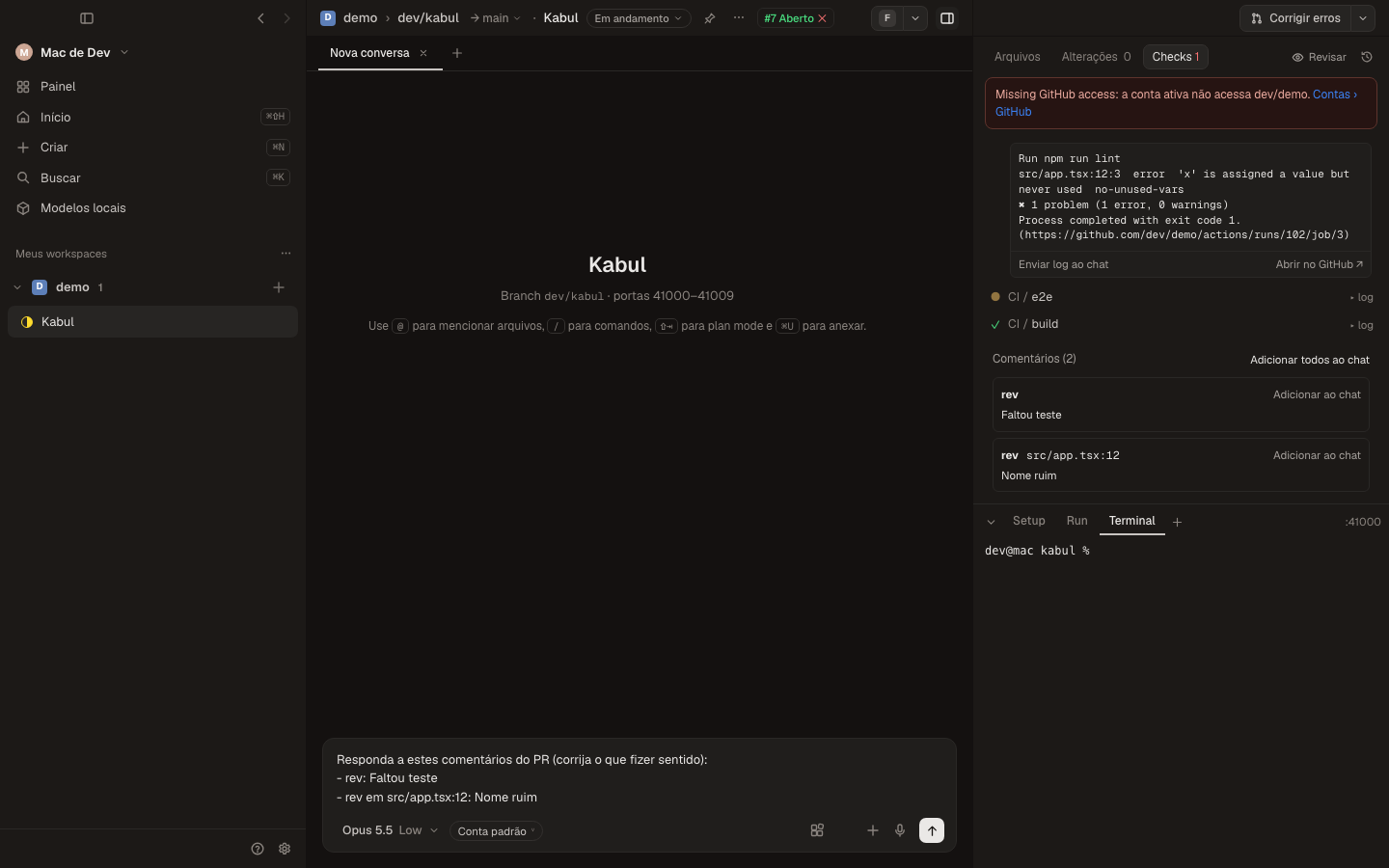
The git button in the right panel changes with the state of the branch: Create PR, Commit and push, Pull, Push, Fix errors, Ready for review, Merge, Resolve conflicts or Archive. Its menu lists every action; unavailable ones explain why.
- Commit and push, Create PR (agent), Fix errors and Resolve conflicts are prompts sent to the agent (with the failing check logs or the conflicting files). Pull, push, merge and ready run directly.
- Checks shows the git status, the pull request (editable title and description, merge and review state), every check with its log inline, Re-run failed and the review comments with Add to chat.
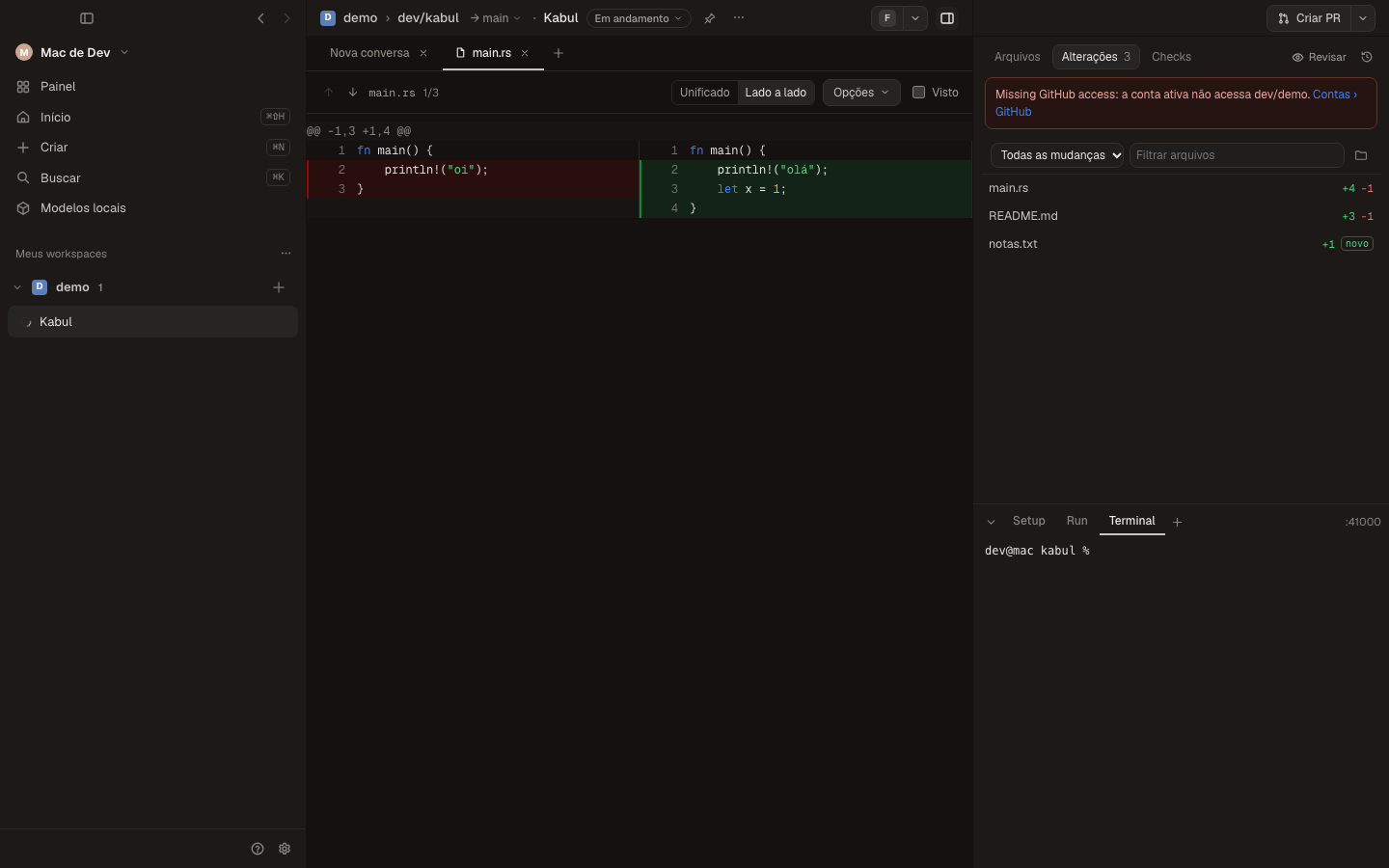
- Diff: unified or split, hide whitespace, wrap lines, syntax highlight, Viewed (
⌃V),↑/↓between files,⌘⌥J/⌘⌥Kbetween comments, scope (all changes, branch commits, uncommitted) and target branch.
Settings › Git
Branch prefix (GitHub user, custom or none), rename new branches from the first message, rename the workspace with the branch, delete the branch on archive, archive on merge, merge method, automerge, treat optional checks as blocking, set upstream on push, stacked pull requests, open PRs in GitHub, Linear or Graphite, workspace link in the PR description and a dry-run mode for GitHub actions. Per repository: base branch, remote, target branch and git identity.